

Prologue
Funny story, in January 2025 my descent into madness began on X (fomerly Twitter) and I predicted myself getting banned, and not long later I achieved the end result of being permanently banned from X. It's a proud moment for me as I've never been perma banned from anything.
Anyways, moving on, If you've been following along with me on this website or my BlueSky then you've seen some stuff about my deep dive into AI software and Large Language Models (LLMs). Here I want to explore that a little further and explain what I've been up to.
For some context, I've been using ChatGPT for a few years now ever since it was still in its infancy and kind of cumbersome to do anything with. In the past year or so there's been a huge leap forward in what LLMs like ChatGPT can do including the latest new features such as using Agent Retrieval-Augmented Generation (Agent RAGs) and Chain of Thought like what you see with DeepSeek R1.
As a software developer for over 20 years I've always been keen to learn about and utilize the newest technologies to their maximum potential, and when I was a teenager I remember dreaming of how to build an artificial intelligence akin to the LLMs we have today. In fact the ideas I had were very similar to what we see in modern LLMs (and I knew nothing about the history of AI or neural networks, I just wanted to make one) in that I envisioned chatting with a command line and having the program (AI) understand what I was asking, no matter what, and answer accordingly or with a "I don't know" type of response. I actually started developing such a "chatbot" with hard coded variables, "knowledge" and regular expressions that could somewhat effectively figure out what you were asking and how to answer. The neat thing about that is I probably still have the code and program somewhere to this day...
The long story short of it is I've been fascinated by AI and the idea of AI since I was a young teenager and it's quite amazing to be alive to see it come to fruition.
The Server
I had been exploring more and more the idea of running Large Language Models locally in my own server room on my own hardware, stuff that could stay offline and have no way of phoning home and with the ability to run fully uncensored models, when I started to learn about software such as LM Studio, Text Generation WebUI, GPT4ALL and the like when I realized that these didn't give me the freedom and ability I truly sought after in running models locally.
It's now February 2025 and I had ordered a new dual PCIe GPU server (This one) so I could spin up an LLM in my server rack and something I could tinker with to try out and see what I could really do with. This led to finding some cheap Nvidia Tesla K80 GPUs (24GB+Dual GPU per card) to put in it and start my first true journey into LLMs and AI.
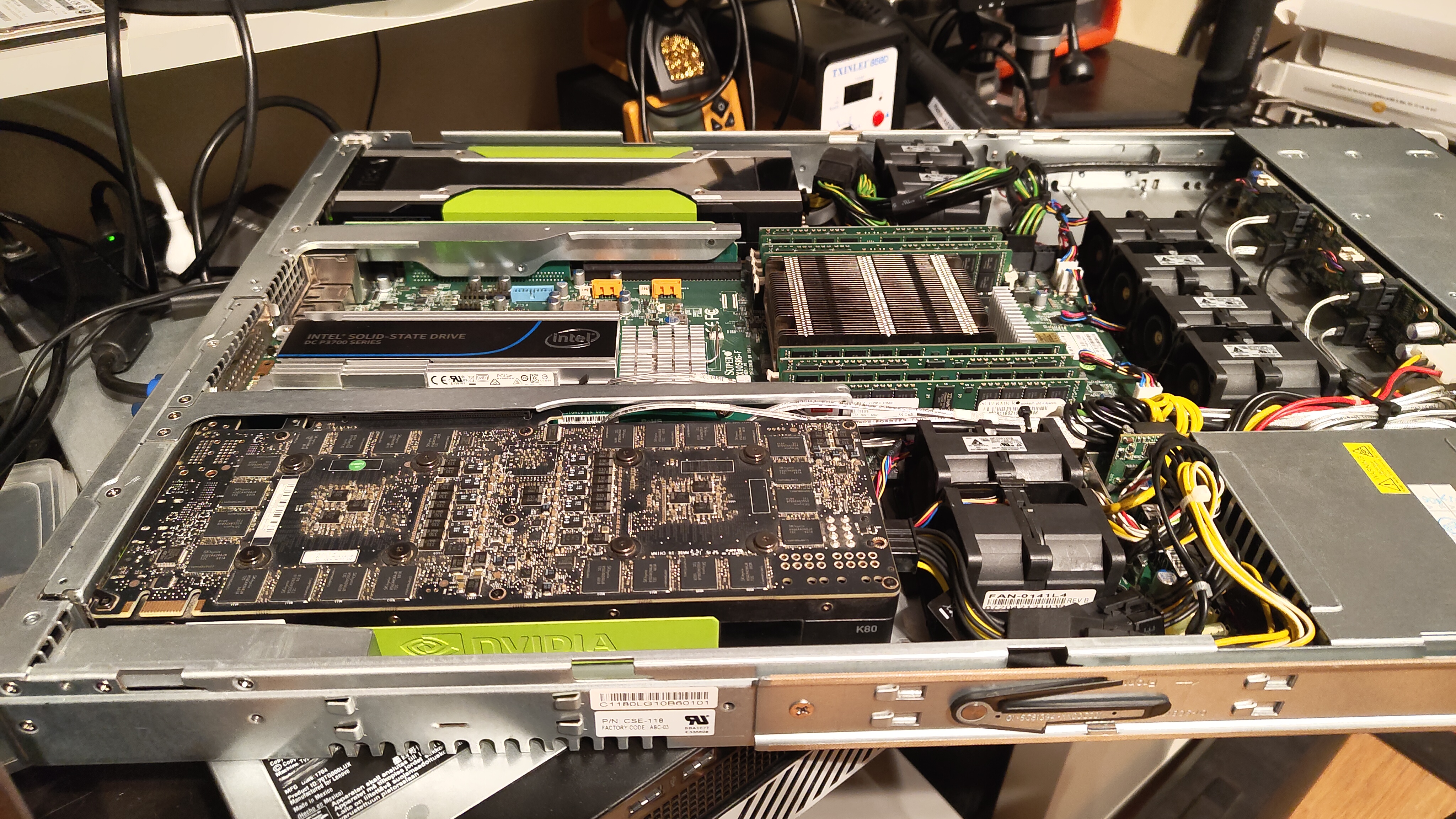
One thing led to another, the server is in the rack and now it's loaded with 256GB Ram, a 20-core (40 thread) E5-2698 V4, an Intel Datacenter NVMe PCIe SSD and 2x Nvidia Tesla K80 GPUs. This is where the problems begin. Most of the software I was testing with such as LM Studio and GPT4ALL didn't support the K80 with its ancient Compute Compatibility and CUDA versions, and so I did the most me-thing I could think of and compiled llama-server from source including the necessary core support for the old CC and CUDA versions (plus I added in parallelism support). This enabled me to use these old GPUs with modern LLM software and I was ecstatic! I was getting 30-40 response tokens per second while inferencing on DeepSeek R1 DISTILL QWEN 1.5B Q8 LM! Other models like 14B, 30/32B and 70B all worked just fine albeit a little slower, but with 48GB of VRAM I could load many mainstream models and run them at a base level.
It has become March and now that I had a half-decent AI server that was kinda slow with larger models paired with fully custom llama-server foundation it was time to upgrade the GPUs. I had and in fact still have many better GPUs in my inventory such as GTX 1080ti, GTX 1060, RTX 2070....and so on but I wanted to give this system a serious upgrade! I ordered and have now installed the first of 2 Nvidia Tesla V100 SXM2 GPUs!
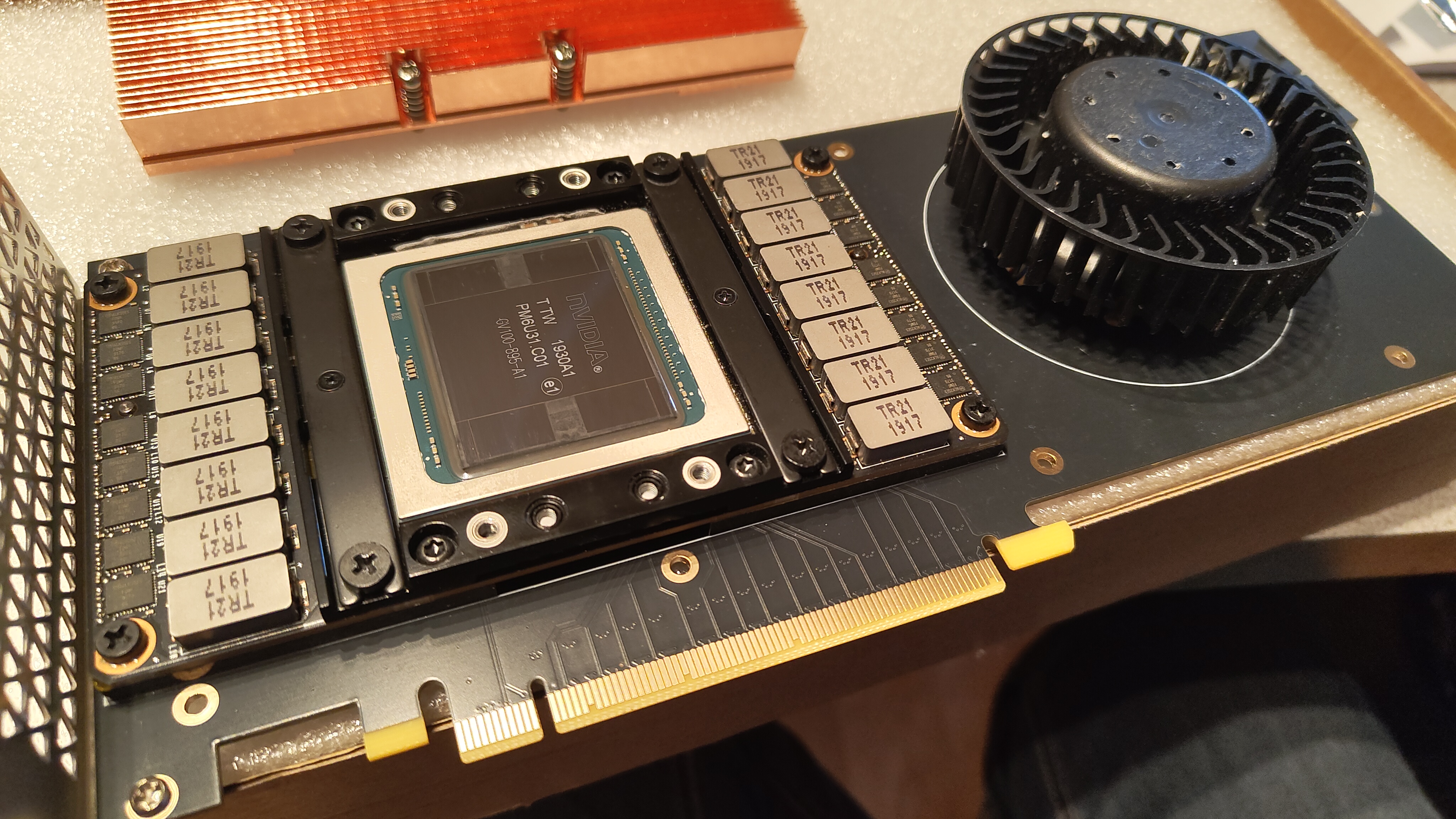
The much newer V100 SXM2 GPU is a much more modern GPU with a form factor meant initially for the Nvidia DGX rackmount system and in some cases for self driving cards. This meant I needed a new server, but at the same time eBay exists, so instead I found someone who makes SXM2 to PCIe adapter boards that have a fan and shroud in the same dimensions that you'd find a standard PCIe Tesla GPU in.
Now the system cooks at 150 response tokens per second on the same model I had been benchmarking on before (~5x speed improvement) - AND I only have 1 V100 installed right now! The system sees about 50tps on DeepSeek R1 DISTILL QWEN 14B Q4 and I'm still very happy with that!
LLM Controller
Now that I have a capable server with a modern GPU I'm utilizing the available software to experiment with coding, writing, ideas, planning, and more, however as usual I am not happy with the given software and so I've started developing my own AI Inferencing software based on top of the llama-server software that I previously compiled and exposes a web UI for chat interface and runs on bare hardware.
To keep a dry long boring story short, I've already spent significant time developing this new software, which I'm currently referring to as "LLM Controller", and am already closing up the last touches on version 3.4. This software isn't yet fully mature, but here's a breakdown of my current features:
Backend & Communication:
- A Flask application combined with SocketIO manages real-time chat interactions.
- The app uses a SQLite database to persist chat sessions, messages, and associated analytics.
- It launches an external llama-server via a subprocess and streams logs for real-time monitoring.
- There’s a built-in auto-title generation mechanism that leverages the LLM itself.
Endpoints & Features:
- REST endpoints handle chat sessions (creation, retrieval, deletion, renaming) and model operations (start, stop, status).
- Additional endpoints provide analytics, logs, and even export functionalities for chats.
- Admin settings are managed via a configuration file (settings.config) and can be updated through the UI.
Frontend:
- A modern web UI (HTML/CSS/JS) with a sidebar, chat area, and multiple drawers for logs, analytics, and admin settings.
- The JavaScript handles session management, dynamic UI updates, and integrates with SocketIO for chat updates.
Chat History Management:
- Adding export and import capabilities for conversations (supporting JSON, CSV, Markdown) along with a quick “delete all” feature from the UI.
Enhanced REST API:
- Exposing core functionalities (model start/stop, chat interactions, model status) via a REST API with an integrated API testing interface in the UI.
Expanded Admin Settings:
- A more detailed configuration panel, enabling customizations such as model defaults, logging verbosity, and system preferences.
Improved Analytics Dashboard:
- Integrating more comprehensive metrics (usage frequency, tokens per second, response time per model) and incorporating real-time GPU/CPU utilization charts for better resource management.
Future Roadmap (v4.0 and Beyond):
- Database Upgrade: Transitioning from SQLite to MySQL (probably MySQL?) for better scalability and performance.
- User Account System: Implementing sign-up, login, and role-based access (Admin vs. Client/User).
- Notifications & Alerts: Integrating email/webhook alerts triggered by events like model crashes or performance thresholds.
- Enhanced Security: Limiting model directory scans to admin users and ensuring multi-platform compatibility.
- Advanced Features: Automated model benchmarking, GPU cluster management, and automated SSL certificate management.
- Community Integration: Eventually opening up a marketplace for shared models, plugins, and configuration scripts.
HuggingFace:
- Support for downloading models from huggingface with easy to see compatibility for your system.
...I'm sure there's more, but at over 2500 lines of code so far this is roughly where I'm at 😅
Conclusion...
While this software is definitely in its infancy (even though I'm already on Version 3.4) still, I'm getting a lot deeper control of the hardware from this software than in any other AI/LLM/Inferencing software I've used before and it makes using the LLMs a lot more enjoyable where I have much deeper insights to what's going on and when I find bugs I can just fix them myself instead of waiting on some other developers timeline.
My end goal of this software is two-fold: release the code for everyone to enjoy, and build upon/use the software to run on top of my own hardware and incorporate it into my hosted services as a value-added feature (or not?). Time will tell, but one thing's for sure my passion for software development hasn't been this strong since the mid 2010s when I was making bank developing software for BlackBerry.
As always stay tuned to this website and my socials for updates about this project. It's been side-burnered for a few weeks because of work but I'm done my long stretch of working and will continue the journey of development probably tomorrow.
EDIT: I'll post some screenshots soon. GUI isn't my strong suit so I'm gonna improve that before posting screenshots